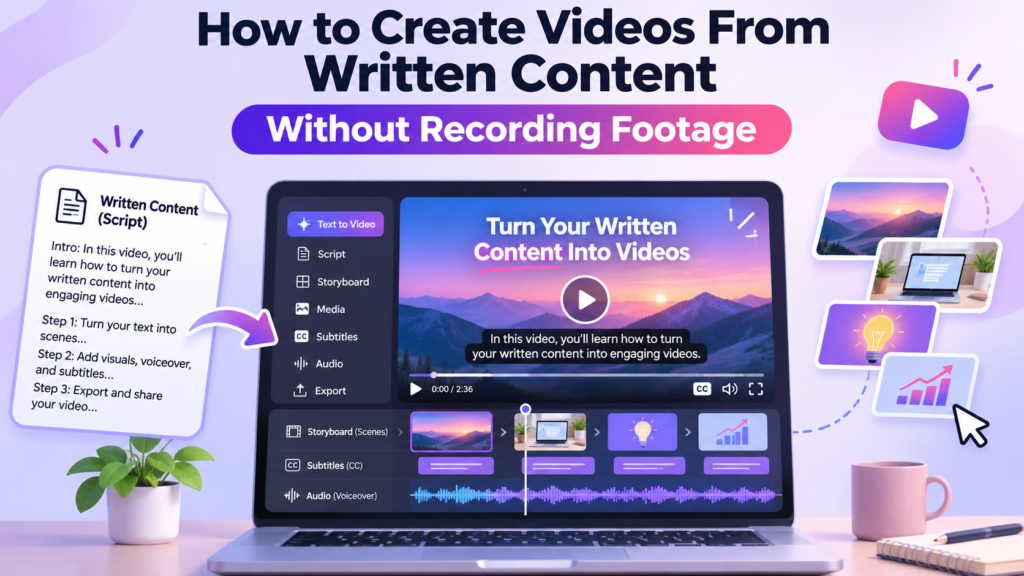
Creating a video from written content means turning text, such as a blog post, article or script, into a finished video without filming anything. You build it from images, generated clips, text on screen, music and voiceover instead.
Many writers and small teams skip video because it feels like a big production. You need a camera, lighting, a quiet room and a lot of retakes. That barrier is gone for most people now.
This guide shows you how to turn your words into videos. You will learn how to prepare your text, pick a platform, build the video step by step, and avoid the usual mistakes.
Why should you turn written content into video?
Video gets attention in places where text does not. Social feeds, video search and short-form platforms all reward moving content. A blog post alone can stay buried.
You also reach people who do not like reading. Some viewers prefer to watch a two-minute explainer over scanning a long article. Video gives them that choice.
Reusing your writing saves a lot of effort. The research, structure and message already exist. You only need to present them in a new format.
There is a brand benefit too. A steady mix of text and video makes your content look active. It also keeps your message consistent across channels.
What kinds of written content work best for video?
Not every piece of writing suits video. Choose content that already has a clear shape.
How-to guides are a strong fit. Each step can become one scene. Viewers can follow along easily.
Listicles work well too. Each list item becomes its own short segment. The structure is built in.
Product pages and feature explainers also convert well. A short video can show the benefits faster than a long paragraph.
News summaries and tips posts suit short clips. Pull out the key points and present them one at a time.
Avoid heavy, dense essays at first. They need more rewriting before they work on screen. Start with simple, structured posts.
Which platform should you use to turn text into video?
Your platform decides how much control you get. Some tools give you a quick template and little else. Others give you a full timeline where you can shape every detail.
Invideo Editor is a browser-based video editor with AI editing agents you can assign real work to. It is completely free to use. You sign up and start editing, with nothing to install.
It puts a professional timeline and AI agents in the same project. You give the agents your direction and your material. They do the repetitive work and hand back a result you can still change by hand.
If you want to start from words alone, a text to video workflow lets you work from a script or outline instead of camera footage. Invideo Editor can assemble generated and existing media against a structure you supply. You then review the timeline and refine each scene.
A simple slideshow tool can work for very basic posts. If you plan to publish videos on a regular schedule, a proper timeline saves time and gives you more room to improve.
How do you create a video from written content, step by step?
Follow these six steps. Once you have a routine, one video can take under an hour.
Step 1: Pick one message
Choose a single idea from your article. A video that covers one point lands better than one that tries to summarize everything.
Write that idea in one sentence. Everything in the video should support it.
Step 2: Turn the text into a script
Spoken words need to be shorter than written words. Cut long sentences. Remove side points and extra detail.
Read the script out loud. If you stumble over a line, simplify it. Aim for 100 to 150 words for each minute of video.
Add a strong opening line. Viewers decide in the first few seconds whether to keep watching.
Step 3: Break the script into scenes
Split your script into short scenes. Each scene should carry one idea. Write a note beside each one about what the viewer should see.
Plan for two to five seconds per visual. This keeps the pace lively. Longer scenes can feel slow on a phone.
Step 4: Gather or generate visuals
You have several choices for visuals. Use images from your blog, licensed stock footage, simple graphics, or AI-generated clips. Mix them to keep the video interesting.
Invideo Editor lets you describe changes in plain language and have an agent adjust the sequence. You can review every change on the timeline and fix anything by hand.
Keep the visual style consistent. Stick to a small set of colors and fonts. This makes the video feel polished and on brand.
Step 5: Add voiceover, music and captions
No camera does not mean no voice. Record a voiceover yourself, or use a text-to-speech voice. Clear audio matters more than a perfect performance.
Add background music at a low level. It should support the voice, not fight it.
Many people watch with the sound off. Add captions that match the speech. Keep them large and easy to read.
Step 6: Export for each platform
Each platform prefers a different shape. Export a version for each one instead of posting a single file everywhere.
Use this as a rough guide:
- YouTube: horizontal 16:9, ideal for longer explainers
- Instagram Reels: vertical 9:16, up to 90 seconds
- TikTok: vertical 9:16, short and fast
- YouTube Shorts: vertical 9:16, up to 60 seconds
- LinkedIn and Facebook: square or vertical both work
Check each platform’s current limits before you post. These numbers change from time to time.
How can you make faceless videos feel engaging?
A video without a person on screen needs other ways to hold attention. Motion is the answer.
Use text animations to highlight key words. Reveal one point at a time instead of showing a full paragraph.
Add smooth transitions between scenes. Keep them simple and consistent. Too many effects look messy.
Vary your visuals. Switch between images, graphics and short clips every few seconds. This keeps the eye moving.
Match the cuts to the rhythm of your music. Even a basic beat makes the video feel intentional.
How can one script become many videos?
Build the full video first, then create shorter versions from it. A three-minute explainer can become a 30-second teaser and a 15-second hook.
Invideo Editor supports cut-downs and versioning inside the same project. You can turn one timeline into social cuts and platform-specific versions. That saves you from rebuilding the video each time.
Change the opening for each version. Lead with a different line or a different visual. Then compare which version earns more views.
What mistakes should you avoid when making videos from text?
Reading the article word for word is the biggest mistake. Written text sounds stiff when spoken. Always rewrite it as a script.
Putting too much text on screen is another problem. Viewers cannot read a paragraph and follow the voice at once.
Skipping captions hurts reach. Silent viewers will scroll past a video they cannot follow.
Using mismatched visuals confuses the message. Each image should match what the voice is saying at that moment.
Ignoring licenses can cause trouble later. Use only images, music and voices you have the right to use.
Making videos too long is also common. Start short. You can always create a longer version once you see what works.
Conclusion
You do not need a camera to make good videos. Your written content already holds the ideas. With a clear script, simple scenes and strong captions, you can turn it into video that works across platforms.
A flexible editor makes the process repeatable. Invideo Editor gives you a free timeline and AI agents to handle the repetitive steps, so you can focus on the message.
Start with one blog post this week. Turn it into a 60-second video, publish it, and see how your audience responds.
FAQs
1. Can I make a video from text without filming?
Yes. Write a short script, break it into scenes, and add images, stock clips or generated visuals. Then layer in a voiceover, music and captions. You never need to record any footage of yourself.
2. How do I turn a blog post into a video?
Pick one main idea from the post and rewrite it as a short script. Plan one visual per sentence or point. Build it on a timeline, add captions and audio, then export for each platform.
3. Is there a free way to create videos from text?
Yes. Several tools offer free plans. Invideo Editor is completely free to use and runs in your browser, so you can start right after signing up.
4. How long should a video made from written content be?
Short social videos work best between 15 and 60 seconds. Explainers for YouTube can run two to five minutes. Match the length to how much you have to say.
5. Do I need a voiceover for a video without footage?
Not always, but it helps. You can use captions and music alone for short clips. For longer explainers, a clear voiceover makes the message easier to follow.