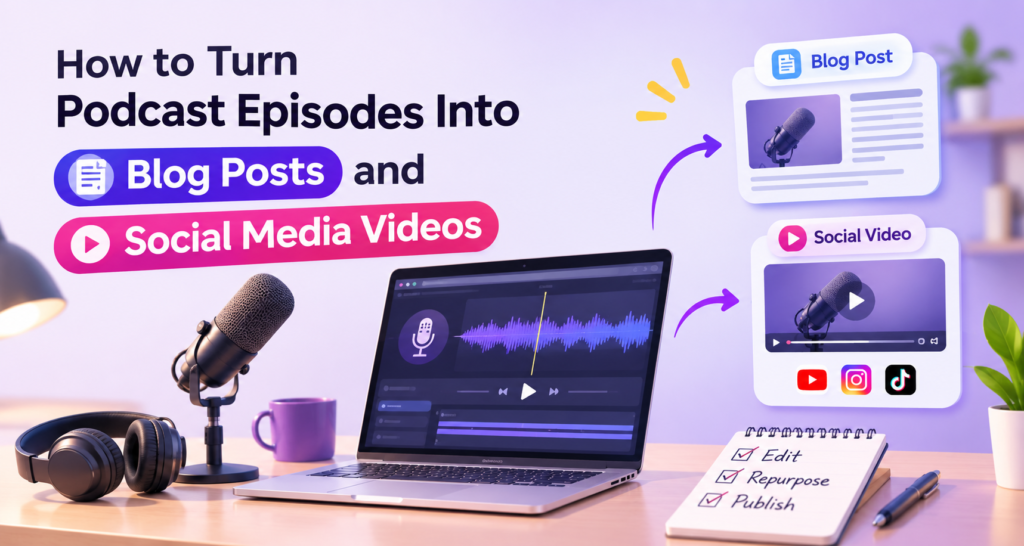
Repurposing a podcast episode means turning one recording into several pieces of content, such as a blog post, short video clips and social captions. It lets a single conversation reach people who never press play on an audio file.
Most podcasters publish an episode, share the link once, and start planning the next one. That leaves a lot of value on the table. Each episode holds ideas, quotes and stories you can reuse for weeks.
This guide shows you how to turn episodes into blog posts and social videos. You will learn what to pull from an episode, which tool to use, and how to build each format.
Why should you repurpose podcast episodes?
Audio is easy to miss. People scroll past audio links all day. A blog post or a short video gives them another way in.
Search is the other big reason. Search engines read text, not audio. A blog post built from your episode helps new listeners find you through Google.
Repurposing also saves time. You already did the hard part by recording the conversation. The content exists, and you only need to reshape it.
It builds consistency as well. A steady flow of posts and clips keeps your show visible between releases. Your audience sees you more often without extra recording sessions.
What should you pull from each episode first?
Start by listening for the strongest moments. Not every minute of an episode will work in another format. Look for the parts that already stand on their own.
Strong quotes make great captions and video hooks. A single sharp sentence can carry a clip.
Clear tips and steps work well in blog posts. If a guest explained a process, you can turn it into a how-to section.
Stories and surprising facts suit short videos. A 30-second story with a clear ending holds attention.
Questions your audience asks often can become blog headings. Search engines like content that answers a direct question.
Make a short list for each episode. Aim for three to five key moments. Everything else can wait for a later round.
Which platform should you use to edit podcast episodes for video?
Your tool decides how fast you can move. Basic audio apps are fine for trimming, but they struggle with video, captions and multiple formats. A full editor handles all of it in one place.
Invideo Editor is a browser-based video editor with AI editing agents you can assign real work to. It is completely free to use. You sign up and start editing, with nothing to install.
It was built for creators who work with long recordings. You upload an episode to the media pool and describe what you want. The agents review the material and do the repetitive work on the timeline.
Podcast footage usually has filler words, pauses and repeated takes. A dedicated podcast editor workflow helps you clear those out and keep the strongest moments. It can also handle silence and filler removal, chapter markers and search by topic.
Everything stays on an editable timeline. You can inspect each change and refine it by hand. The agents handle the grunt work while you keep control of the story.
If you only record audio, you can still use a simple waveform video with captions. A full editor gives you more room to grow.
How do you turn a podcast episode into a blog post?
Follow these steps. A solid post takes about an hour once you have a routine.
Step 1: Get a clean transcript
Start with a transcript of the episode. Many hosting platforms and transcription tools can generate one. Review it for names, terms and errors.
A transcript is raw material, not a finished post. Spoken language rambles. Written language needs to be tighter.
Step 2: Choose one angle
Pick a single theme for the post. An hour-long episode may cover five topics. A blog post works best when it focuses on one.
Write your angle as a clear title. Phrase it the way a reader would search for it.
Step 3: Outline with headings
Scan the transcript for the sections that support your angle. Turn each one into a heading. Use questions where they fit naturally.
Keep the order logical. Introduce the problem, explain the solution, then close with next steps.
Step 4: Rewrite in your own voice
Do not paste the transcript. Rewrite each section in short sentences and short paragraphs. Remove filler words and tangents.
Keep the best quotes from the guest. Place them in their own lines so readers notice them. Always credit the speaker.
Step 5: Add structure and links
Add a short intro that states what the reader will learn. Add a summary at the end. Link back to the episode so readers can listen to the full conversation.
Embed the audio player near the top. This gives readers a choice between reading and listening.
Step 6: Optimize for search
Use a clear title, a short meta description and descriptive headings. Add a few related keywords naturally. Include a short FAQ if the episode answered common questions.
How do you turn a podcast episode into social media videos?
Video clips are the fastest way to bring new listeners to your show. The process has a few simple steps.
Step 1: Find clip-worthy moments
Pick segments that run 20 to 60 seconds. Look for a strong opening line, a clear point and a natural ending. The best clips make sense without any context.
Step 2: Build the clip on a timeline
Upload your recording and place the selected moments on the timeline. Trim the start and end so the clip begins right on the hook.
Invideo Editor lets you describe the moment you want and find it in long footage. That saves you from scrubbing through an hour of audio. You can then review the result and adjust it.
Step 3: Add captions and visuals
Most people watch with the sound off. Add captions that match the speech. Keep them large and easy to read on a phone.
Add a simple visual layer. Use the host photo, a waveform, the episode art or a few relevant images. Keep the design consistent across clips.
Step 4: Format for each platform
Export in the shape each platform prefers. Use this as a rough guide:
- Instagram Reels: vertical 9:16, up to 90 seconds
- TikTok: vertical 9:16, short and fast
- YouTube Shorts: vertical 9:16, up to 60 seconds
- LinkedIn: square or vertical, ideal for professional topics
- X and Facebook: square or vertical both work
Check each platform’s current limits before you post. These numbers change from time to time.
Step 5: Write a strong caption
Open with a hook that matches the clip. Add a short line about the episode. Close with a call to action that points to the full episode or blog post.
How can you build a repurposing routine that lasts?
Set a repeatable schedule. Decide that every episode becomes one blog post and three clips. A fixed plan removes the guesswork.
Batch your work. Cut all your clips in one session instead of one at a time. Write the blog post on a separate day.
Keep a simple checklist. Include transcript, blog post, clips, captions and scheduling. Tick each item off as you go.
Track what works. Note which clips and posts bring the most listens. Use that data to choose better moments next time.
What mistakes should you avoid when repurposing podcasts?
Copying the transcript word for word is the most common problem. Readers want a clear article, not a spoken rant on a page.
Posting clips with no captions hurts reach. Silent viewers will scroll past anything they cannot follow.
Choosing clips that need context loses people fast. If a moment only makes sense after ten minutes of setup, skip it.
Forgetting permission can cause trouble. Check that guests are happy for you to share their words and image.
Overediting is another trap. Keep the natural feel of the conversation. Polish the sound and the pacing, not the personality.
Conclusion
One podcast episode can feed your blog and your social channels for weeks. Pull out the best moments, write a focused post, and cut short clips with captions.
A good editor makes the routine easier to repeat. Invideo Editor gives you a free timeline and AI agents to handle the repetitive cleanup, so you can focus on the message.
Start with your most recent episode. Write one post, cut three clips, and publish them this week. Then watch how your audience responds.
FAQs
1. How do I turn a podcast into a blog post?
Start with a transcript of the episode. Choose one angle, outline it with headings, and rewrite it in a clear voice. Add the audio player, a short summary and a few search-friendly keywords.
2. Can I turn a podcast into a video?
Yes. Pick strong moments from your recording, add captions and simple visuals, and export in the right format for each platform. Invideo Editor is completely free to use and runs in your browser, so you can start right away.
3. How long should a podcast clip for social media be?
Most clips work best between 20 and 60 seconds. Pick a segment with a strong opening line and a clear point. Check each platform’s current limits before you post.
4. What should I do with old podcast episodes?
Repurpose them. Older episodes often hold timeless advice that still works. Turn them into blog posts, quote graphics or short clips, then share them again.
5. Do I need a transcript to repurpose a podcast?
It is not required, but it helps a lot. A transcript makes it easier to find quotes, write blog posts and add captions. Always review it for errors before you use it.