For years, serious video editing meant installing heavy software on a powerful computer. Marketing teams that needed video worked around that limit by sending files back and forth, waiting for a single editor’s machine to free up, or outsourcing the work entirely.
That model is changing. More teams now edit directly in a web browser, with no installation, no file handoffs, and no dependence on one specific workstation. This article explains what browser-based editing is, why it appeals to marketing teams, and what to check before adopting it.
What Is a Browser-Based Video Editor?
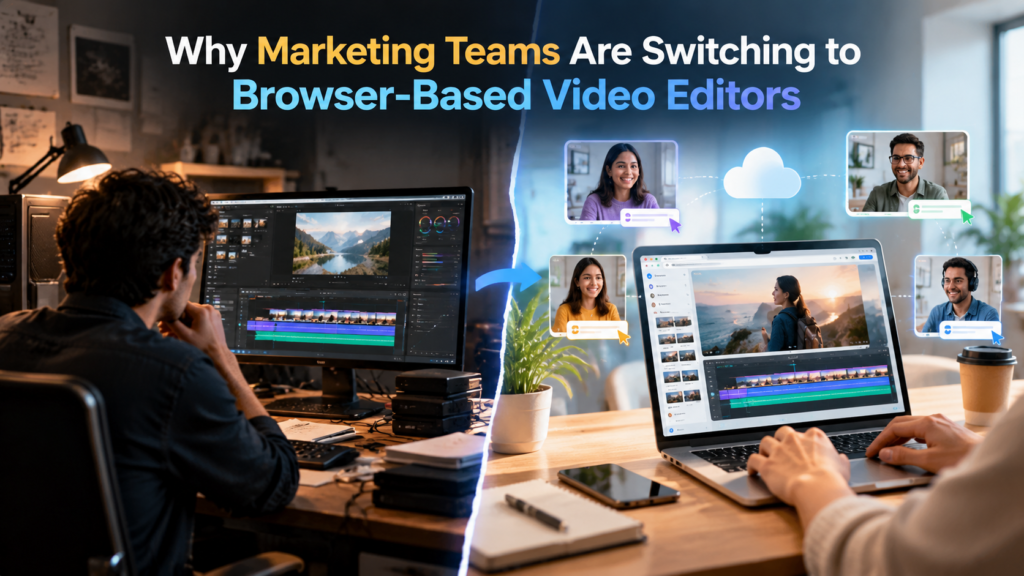
A browser-based video editor is editing software that runs inside a web browser instead of on a locally installed program. The project, the timeline, and the editing tools are all accessed through a website. Processing happens partly in the browser and partly on remote servers, depending on the product.
You still get the core editing functions: cutting clips, adding music and captions, adjusting audio, and exporting in different formats. The difference is where the software lives and how people reach it.
Why Marketing Teams Are Making the Switch
Several practical reasons explain the shift.
No installation or setup. Anyone with a browser can start working. New team members, freelancers, and agency partners do not need a licensed installation or a high-end computer.
Access from any device. A marketer can start an edit on a laptop and check it later on a phone or a different computer. This matters for teams that work remotely or travel.
Easier collaboration. Files live in one shared project, so people stop emailing large exports named “final_v4. “Reviewers can see the current version without downloading anything.
Automatic updates. The software updates on the provider’s side, so the whole team always uses the same version and features.
Lower hardware demands. Because some of the heavy processing happens remotely, older or lighter machines can handle projects that would struggle in a local program.
Predictable costs. Many browser-based editors offer free or low-cost entry points, which lets a team test the workflow before committing budget.
The Bottleneck Behind the Move
Marketing teams rarely struggle to record footage. The slow part comes afterward. A single interview or product demo often has to become several assets for social feeds, ads, email, and the website.
Traditional desktop editing puts most of that work on one skilled person at one machine. Reviewing takes, removing pauses, and building a first version all happen by hand. When demand for video grows, that person becomes the limit on how much the team can publish.
Browser-based editors reduce this problem in two ways. They make the project easier to share across people, and many now include AI features that take on the repetitive parts of editing. Invideo editor, for instance, pairs a standard timeline with AI agents that can review footage, pick usable takes, and assemble a first cut that the team then refines. This allows marketing teams to move faster on repetitive editing tasks while keeping control over the final creative decisions.
What to Look for in a Browser-Based Editor
Not every web-based option fits professional marketing work. Some are built for quick social templates, while others aim to replace a full desktop suite. The right choice depends on how your team actually works.
Invideo Editor offers one version of this approach. Its browser-based video editor opens on any computer or phone, lets users cut clips, add music and captions, and fix shaky video and poor sound, or describe a change in plain language and see it applied. Because the work stays on a timeline, the team can still inspect and adjust every change by hand.
When you evaluate any option in this category, these questions help:
- Does it handle the footage types you use, such as interviews, screen recordings, or multicam shoots?
- Is there a real timeline for detailed control, or only templates?
- Can several people work in the same project?
- How does it manage large files and slow internet connections?
- What export formats and aspect ratios are supported?
- Can you review a project’s change history?
A workflow like invideo editor can be useful for teams that need both speed and control, as it keeps editing work on a timeline while allowing creators to use AI assistance for repetitive tasks. This gives teams a faster way to create versions of their content while still reviewing and adjusting the final result themselves.
Security and Access Considerations
Moving footage to the cloud raises legitimate questions. Marketing teams often handle unreleased products, customer interviews, and internal announcements, so it is worth asking a few things before adopting any web-based editor.
Check how uploaded media is stored and who can access it. Confirm whether team members can be given different permission levels. Look at what happens to files if an account is closed. If your company has data policies for customer content, make sure the editor supports them, and get approval from your IT or legal contact when the footage is sensitive.
Limitations to Keep in Mind
Browser-based editing is not the right answer for every project. Very large productions with hours of high-resolution footage, advanced visual effects, or specialized color pipelines may still work better in dedicated desktop software. Performance also depends on your internet connection, since uploading and previewing large files takes bandwidth.
A hybrid approach is common. Teams use a web-based editor for everyday marketing videos, social cuts, and quick revisions, and reserve desktop tools for the occasional complex project. Testing with real footage, including messy recordings with repeated takes, gives a more honest picture than testing with a clean sample clip.
How to Start Without Disrupting Your Workflow
A gradual rollout keeps risk low.
- Pick one recurring video type, such as short social clips or webinar recaps.
- Move that single workflow into the browser-based editor first.
- Set shared rules for naming files, fonts, colors, and export settings.
- Assign one person to review output before publishing.
- Compare time spent and revision rounds against your previous process.
- Expand to other video types once the team is comfortable.
Conclusion
Marketing teams are moving to browser-based video editors because the format matches how they already work: distributed, deadline-driven, and producing many versions of the same material. Easy access, shared projects, and built-in automation remove friction that used to slow video down.
The switch does not need to be all or nothing. Start with the workflows that hurt the most, test with real footage, check the security basics, and keep desktop software available for the projects that demand it. Done that way, browser-based editing becomes a practical way to publish more video with the same team.