
A marketing team once needed one hero video per campaign. Today the same campaign may call for a long cut for the website, a short version for paid social, a vertical clip for mobile feeds, and a trimmed demo for the sales team. The raw footage is often the same. The number of finished files is not.
Hiring more editors is the usual reaction, but it rarely fixes the underlying issue. Much of an editor’s day goes to work that has little to do with creative skill. AI editing agents are built to take on that work, and understanding how they operate helps teams decide whether they fit their production process.
Why Video Demand Outpaces Editing Capacity
Video now serves many jobs at once: advertising, onboarding, training, product education, and internal communication. Each use has its own length, format, and tone. A single interview may need to become five different assets.
Recording is not the slow part. Phones and inexpensive cameras make capture easy. The slow part is post-production, where someone has to watch the material, choose the good takes, and build a working sequence before real creative shaping begins. When every asset repeats that process, capacity runs out quickly.
What AI Editing Agents Actually Are
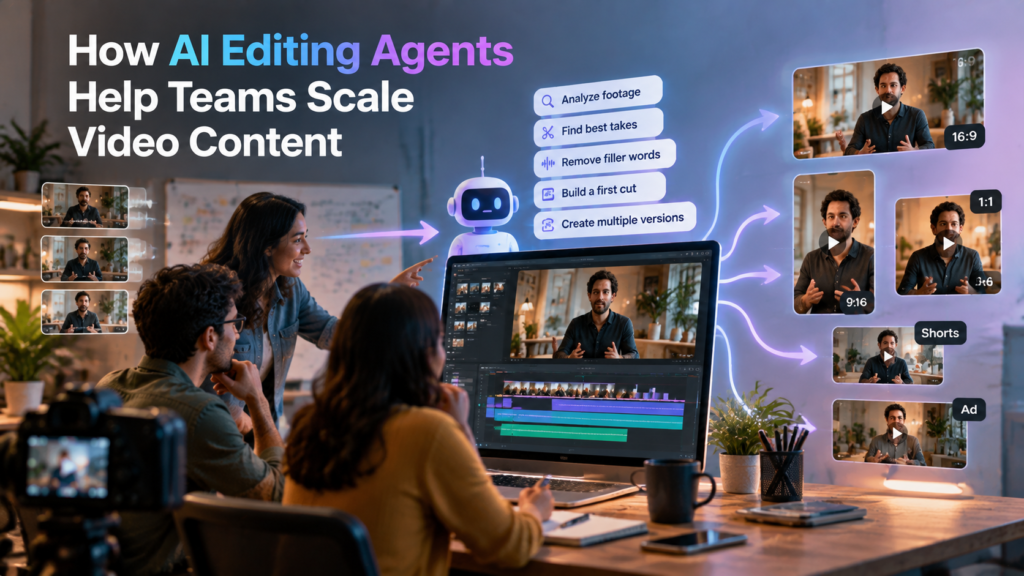
An AI editing agent is software that carries out editing tasks from written or spoken instructions. It does not simply apply an effect. It analyzes footage, understands what is being said or shown, and works on the timeline to complete the assigned task.
The key difference from earlier automation is scope. A filter or preset changes one thing. An agent can perform a connected series of steps, such as reviewing a recording, choosing the strongest takes, removing repeated lines, and arranging the result into a first version. The editor gives direction, then reviews what comes back.
The Repetitive Work Agents Take On
Most video projects contain a large share of mechanical tasks. These are the areas where agents tend to help most:
- Reviewing footage. Scanning long recordings to find usable sections.
- Comparing takes. Choosing one clean version when a line was recorded several times.
- Removing waste. Cutting silences, filler words, and false starts.
- Building a base cut. Assembling a complete first timeline from the usable material.
- Searching by description. Finding a moment by describing it, such as a topic, a person, or an action.
- Creating versions. Producing shorter or reformatted cuts from the same project.
Consider a 50-minute recorded webinar. A person would need to watch it all, mark the best answers, cut the pauses, and then repeat the process for a short social clip. Editors working with invideo editor, for example, can upload the recording, describe the cut they want, and receive an assembled timeline to review instead of starting from a blank one.
Choosing the Right Editing Approach for a Scaling Team
Not every editor suits a team that needs to grow output. Traditional timeline software gives precise control but expects a person to perform every operation. Template-based generators are fast but limit creative control. Teams trying to scale usually need something in between, where agents do real work but people stay in charge.
Invideo editor follows that model, and its take on agentic video editing has AI agents watch the footage, work the timeline, and hand back a cut that stays with the team. Because the result lands on an editable timeline, an editor can inspect each change, redirect the agent, or take over by hand at any point.
When comparing any option in this category, a few questions are worth asking:
- Does the agent work on a real timeline, or only produce a locked file?
- Can changes be reviewed and reversed?
- Does it handle your footage type, such as interviews, podcasts, or multicam shoots?
- Can several people work on the same project?
- How easily can one project become several formats?
A Practical Workflow for Scaling Output
A repeatable process matters more than any single feature. Here is a simple structure for teams:
- Define the deliverables first. List the versions the project needs before editing starts.
- Prepare the material. Collect footage and add a script or transcript if one exists.
- Give a clear brief. Describe the cut by topic, story, or order of shooting.
- Let the agent build the base cut. Treat the result as a starting point, not a finished file.
- Review and refine. An editor adjusts pacing, tone, and emphasis.
- Branch into versions. Create the shorter and reformatted cuts from the approved master.
- Approve before publishing. One person checks accuracy and brand fit.
Testing this on messy footage is more useful than testing on a clean single take. A workflow shows its value when there are repeated lines, pauses, and mistakes to clear away. For example, a team trying invideo editor for the first time would get a better sense of its capabilities by using a rough interview recording with multiple takes rather than a polished clip with nothing to fix.
Where Human Editors Still Lead
Agents handle execution, but editorial judgment still belongs to people. An agent can detect a pause, yet it cannot know whether that pause carries emotion or hesitation. It can find a repeated answer, yet it may not sense which version sounds more sincere.
Decisions about story, rhythm, and message depend on the audience and the goal of the video. In practice, the strongest teams use agents to shorten the path to a solid draft, then spend saved time on the creative choices that make a video effective. That is also how a small team can support more output without lowering quality.
Common Mistakes When Adopting AI Editing
- Skipping the review. Automated output can still contain errors or cut important context.
- Vague instructions. Clear direction produces a better first draft.
- Treating the draft as final. The base cut is where editing begins.
- Ignoring consistency. Set rules for fonts, color, and pacing so scaled output still looks unified.
- Overlooking permissions. Confirm you have the rights to use all footage, music, and voices.
Conclusion
Scaling video content is mostly a workflow problem, not a talent shortage. The hours that pile up between raw footage and a usable first cut are repetitive and predictable, which makes them well suited to AI agents.
Tools like invideo editor show how this workflow can work in practice, where AI agents handle the repetitive groundwork of reviewing footage and building an initial cut while editors stay focused on storytelling, pacing, and final creative decisions.
Teams that let agents handle that groundwork, keep editors focused on creative decisions, and review every result before it goes out can produce more versions with the people they already have. The goal is not to remove editors from the process. It is to spend their time where their skill matters most.