I clearly remember the week when this event occurred in my life. At that point I had already been blogging for nearly 11 years, posting twice a week and making great efforts to set up internal do-follow links as well as carrying out all the things I had read about in the usual SEO advice found on various forums; my blog was a technology blog on Blogger. My traffic level was neutral and quite low—ranging between 800 and 1100 visitors a month—regardless of how many new articles I published. Each new post would get a small initial crawl, appear around positions 40 or 50 for the keyword that had been targeted, and then simply disappear.
“I thought it was the content that was at fault,” I remarked, and placed the blame on my niche. I pointed out that the problem lay in Google’s monthly algorithm updates, which are unpredictable. The only aspect that I did not criticize was my Blogger template, since I didn’t really understand how it worked or what features it had.

The template that I had been using was one which I had downloaded from somewhere on Google but I have since forgotten where; it was free and, in my view, seemed all right. It was neat, easy to read and didn’t have anything obvious on the surface. The problem with it – and this was a fundamental flaw – was a matter that I could not detect since I wasn’t a developer examining my pages in a browser. The template was producing duplicate H1 and meta tags for each and every post and page. It was loading a large number of external JavaScript files before the first line of visible content. It completely lacked any kind of SEO schema-markup. Although it was technically responsive, it still gave a Cumulative Layout Shift score that was always below Google’s Core Web Vitals threshold, even on its mobile version.
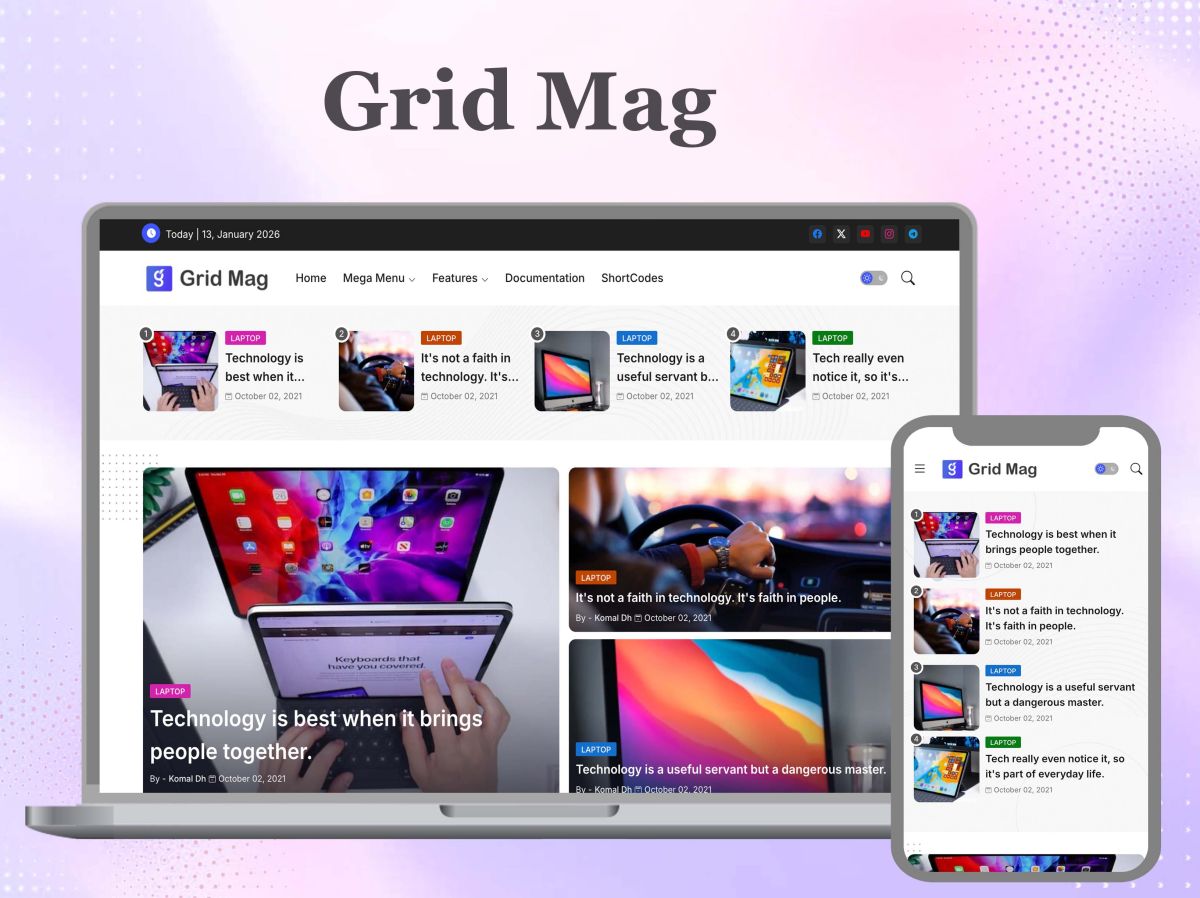
I changed my website to an SEO-friendly Blogger template and used the Grid Mag theme; after doing so I re-run my Core Web Vitals assessment and as a result my LCP score dropped from 4.2 seconds to 1.8 seconds. My CLS score also fell from 0.31 to 0.04. Within six weeks 11 of my posts moved from position 7 or 8 on Google search results to position 2, 3 and higher for their respective keywords, three of them reaching the Top 10. In less than two months my monthly organic traffic doubled even though no articles were published.
It is this experience which forms the basis of all the content in this guide; it is what has led me to believe, not merely on a theoretical level, that your Blogger template is not simply a matter of cosmetic appearance but rather a choice concerning ‘ranking’.
Why Google pays more attention to your Blogger template than you think
Most bloggers, when thinking about the Google ranking algorithm, concentrate on content—specifically on how they can include their keywords, how long their articles should be, how many do-follow backlinks they possess, and whether or not they have good authority. All of these factors have a major influence on me and I by no means ignore them. Yet Google evaluates the quality of content in relation to the technical quality which is determined by your template before it even starts to look at a single word of your content. Although we know that “Content is the King”, we should likewise take seriously the fact that good web design plays a huge role.
When Google’s crawlers come to your blog page, they first examine a number of technical signals before proceeding to process the content. Server Response Time: How quickly does the server respond? Is the HTML well structured? Does it feature a clear hierarchy of headings, showing how the content is organised on the page? Does the page meet Google’s requirements in the areas covered by mobile-first indexing? Are there any unexpected changes in layout that could affect the user experience? Is there any kind of structured data (for example, breadcrumbs, schema, or web category) that can be provided to Google in order to let them know what type of content it is—an article, a review, a how-to guide or a recipe?
The signals in question are derived from your template rather than from the actual content you provide. A good product with a bad package consists of excellent content placed on a poor template—although the content itself is good, the packaging is of a low standard. To be honest, there is a correlation between technical quality and the quality of the user experience, and that is exactly what Google seeks to optimize in its search results; which is why they have taken years to develop signals that detect and reward technical quality.
A Blogger template that is good for SEO looks after all of these factors; rather than just happening by chance, it is specifically designed to deal with them. The template is based on Google’s technical requirements so that every page your blog produces (regardless of the content that is on it) will have technical credibility and not a technical disadvantage. You can find another review of a tech blog at TechGup.org
What is the real difference between a marketing-oriented blogger and one that is actually SEO friendly?
The statement that Blogger Templates are “SEO friendly” has been used so frequently that in many cases it has become meaningless. This applies to templates which include a field for entering a meta description, meta tags, and rich structured code as well as to those that are actually designed with Google’s present technical requirements in mind; template providers use the term to describe all kinds of templates. It is very important to understand the difference between these two types before spending any time or money on another template.
In 2026 an SEO-friendly Blogger template includes a number of key features that can be checked and not merely assumed. The first of these is a clean semantic structure based on the latest XML Blogger conditional tags – the template makes use of all the important semantic tags, namely article, header, nav, main, aside and footer – in the correct order and within the appropriate context, thus matching the actual semantics. This kind of structure helps Google to understand the layout of your page without it having to look at any other signals.
A second feature is that your headings should have the correct and consistent hierarchy. An SEO-friendly template will ensure that there is only one H1 tag on each page (with the post title appearing on post pages and the blog title on the home page of the blog) and will use H2 and H3 tags for the section and subsection headings in the content. It does not convey to Google what the main subject of the page is to use a template that generates multiple H1 tags or one that adds H1 tags to the sidebar and footer simply for design purposes.
The third feature is built-in structured data annotation, or schema, which consists of a common set of tags designed to make it clear to Google what kind of content a page contains—for example, a blog post, a review, a how-to article or a product listing, or any other type of recognised content. When a Blogger template can automatically include the correct Article schema markup on each post page, it sends a clear ‘machine-readable’ signal to Google’s spiders regarding the type of content, thereby improving the speed at which it is crawled as well as increasing the likelihood of it being eligible for rich results in search.
The fourth aspect is performance architecture, which involves optimising the template’s code so as to reduce render-blocking resources, delaying the loading of non-essential JavaScript, lazy loading images that are below the fold, and avoiding the inclusion of external scripts that do not contribute to the user experience even though they do increase the page’s weight. The difference in loading times between a page that takes 1.5 seconds and one that takes 4.5 seconds on a mid-tier mobile device is due to this performance architecture, something that is directly reflected in Google’s Page Experience ranking signals.
Note: Blogger now has the Lazy Load images option set as default, but you need to enable it through the blogger settings.
How your template can cause Core Web Vitals Connection to pass or fail.
Core Web Vitals was already a factor in Google’s page ranking system in 2021 and has since become more important as Google has enhanced its Page Experience signal. A penalty will be imposed on pages that fail to attain a good Core Web Vitals score by 2026, and this will be the deciding factor in competitive sectors where several websites are producing high-quality content.
The design of the template plays a major role in all of the three Core Web Vitals measures—Largest Contentful Paint, Interaction to Next Paint, and Cumulative Layout Shift—all of which are outside the blogger’s control.
LCP refers to the time taken for the largest piece of content that a user can see to be rendered on the page; for most Blogger pages this LCP element is either the hero image in the post header or the first large block of text content. Any script that is render-blocking (that is, one which causes the browser to stop rendering the page until it has been downloaded and processed) leads to an increased LCP time, as does any other problem that occurs before these scripts are loaded, for example a template that loads render-blocking JavaScript first. Since an SEO-friendly template delays non-essential scripts and displays the content visible above the fold, the LCP times end up within the range that Google considers acceptable (2.5 seconds or less).
Blogger templates that are good for SEO.
The following are the best templates that will actually achieve a high ranking on Google.
I have experimented with a large number of Blogger templates and set up various blogs to test them across different niche areas, eventually narrowing my choice down to a particular set of templates that satisfy all the SEO requirements I mentioned earlier, such as having a clean structure, loading quickly, incorporating schema, featuring a Mobile-First design, and being genuinely AdSense-friendly. Each of the templates listed has been chosen because of its higher technical quality, which helps to secure better ranking positions, not just because of how good it looks in a preview screenshot.
Grid Mag blogger template
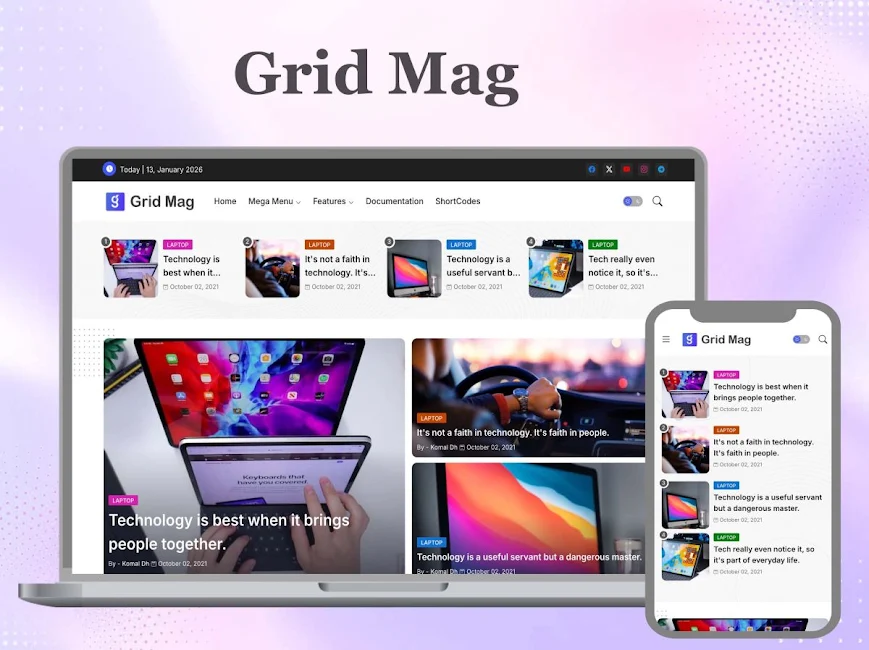
I always suggest Grid Mag to bloggers who run multi-topic blogs or have a magazine-style blog and who need their content to be well organised for presentation as well as for good SEO results. The grid format of the homepage automatically establishes the structure of the content in a way that is easy for Google’s spiders to navigate, and the Article schema markup that comes with it means that each article is automatically eligible for rich results—there being no need for any additional coding. Grid Mag offers the necessary structural base for websites in specialist fields, for news sites and for tech blogs that publish across a number of categories so that their content can succeed on Google.
Quick Spot blogger template
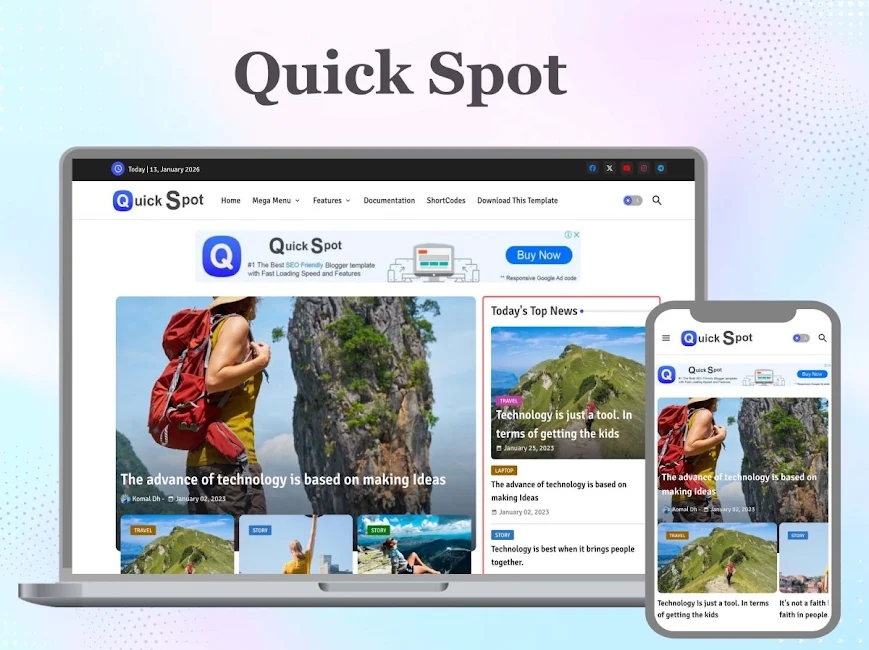
Quick Spot is suitable for blogs that publish frequently and need Google to quickly crawl their new content. Because of its simple code structure, it avoids having the homepage overloaded with the latest posts, which enables Googlebot to easily go through the site and locate the most recent posts. The way the sections are arranged by category also creates natural “topical clusters” on the site—types of content architecture that Google tends to reward by giving “topical authority signals”. It is one of the most crawl-friendly templates available for news sites and for active content blogs.
Wind Spot blogger template
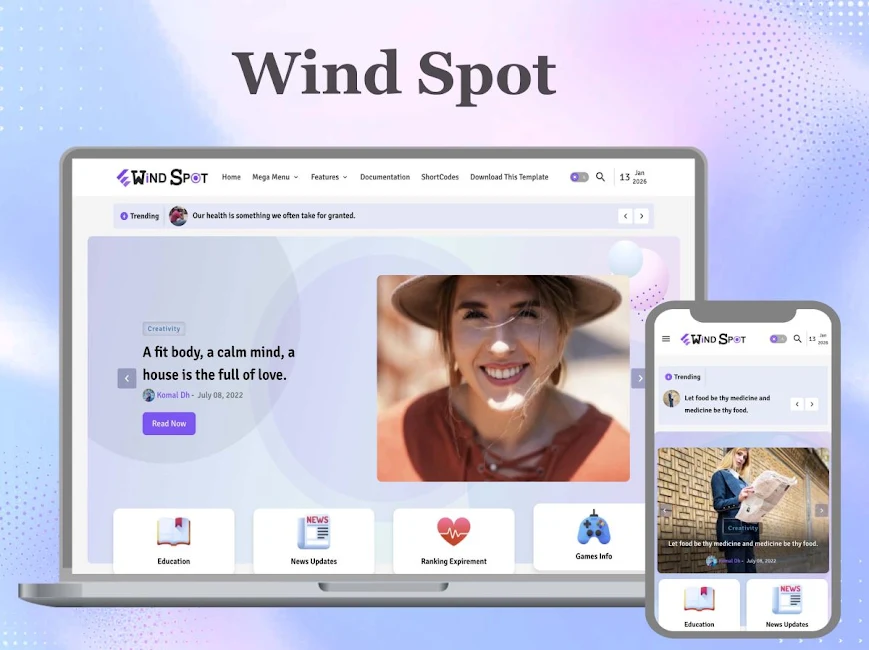
If a blogger’s top concern is achieving a high rank in Google, then I always begin by looking at Wind Spot. The way it has arranged its headings is completely suitable since it features a single H1 heading on each page and the H2 and H3 headings are used in the right way throughout the page to avoid accidentally producing the kind of duplicate heading structure that damages search engine rankings. The use of semantic HTML5 is simple enough for Google to understand the structure of your page without the need for any additional structured data clues, and the mobile performance is one of the best that I’ve come across with any Blogger template – no matter the price.
SEO Spot blogger template

I believe that’s exactly what it states on the tin, and since this is something that is frequently said but not actually put into practice in the industry, I consider it a reasonable claim. The template is built with a single aim in mind—ensuring that your content is indexed properly and achieves a competitive ranking—and all of the design choices are made with that objective in mind. In order to get both Google and your readers the content as quickly as possible, the page loading sequence has been eliminated. Automatic on-page structure is used to apply the right canonical tags, the correct Open Graph tags, and Article schema to each post. By removing all the technical obstacles between your content and your ranking, SEO Spot makes it easier for you, particularly if you’re a blogger who is creating a content site and has no other means of attracting traffic apart from organic search.
Citron blogger template

Citron is just as attractive in terms of technical SEO performance as any other Blogger template—and that’s a positive point. It’s the template I’d recommend for bloggers who focus on lifestyle, food, travel, and personal branding, since the appearance of their website has a direct effect on whether readers trust the information enough to keep on reading, as I mentioned earlier, because Google takes into account how much time visitors spend on a site and the number of return visits. Despite the fact that Citron is a very elegant design in terms of appearance, it achieves the same level of performance as templates that have been designed purely for performance. You’re not giving up good looks for higher rankings; instead, you get both.
Pixy Newspaper 11 blogger template
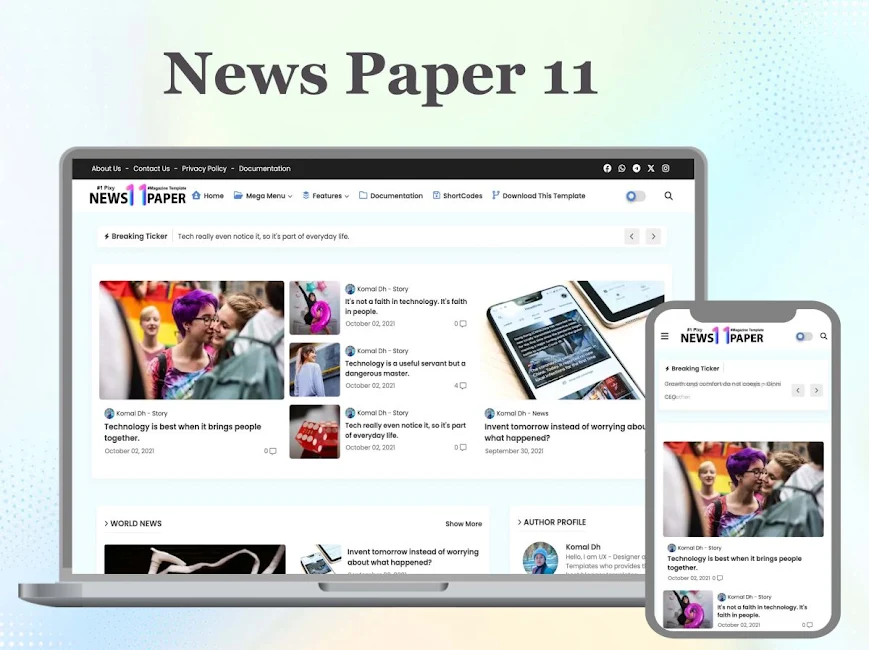
If publishers regard their blogs as possessing the authority and credibility of a genuine newspaper, then the Pixy Newspaper 11 template is the one for them. Its multi-column layout is well organised so that it can handle a large volume of content without causing the page to look disordered, and the template includes both a breaking news section and a featured post section, thus giving strong content signals that help hold visitors’ attention from the very first moment. A well-structured page that achieves a high level of engagement is a positive signal for Google, and Pixy Newspaper 11 has been designed so as to send that signal on every page it displays; it is therefore one of the best choices in the news and magazine sector when it comes to SEO.
Piki True Job blogger template
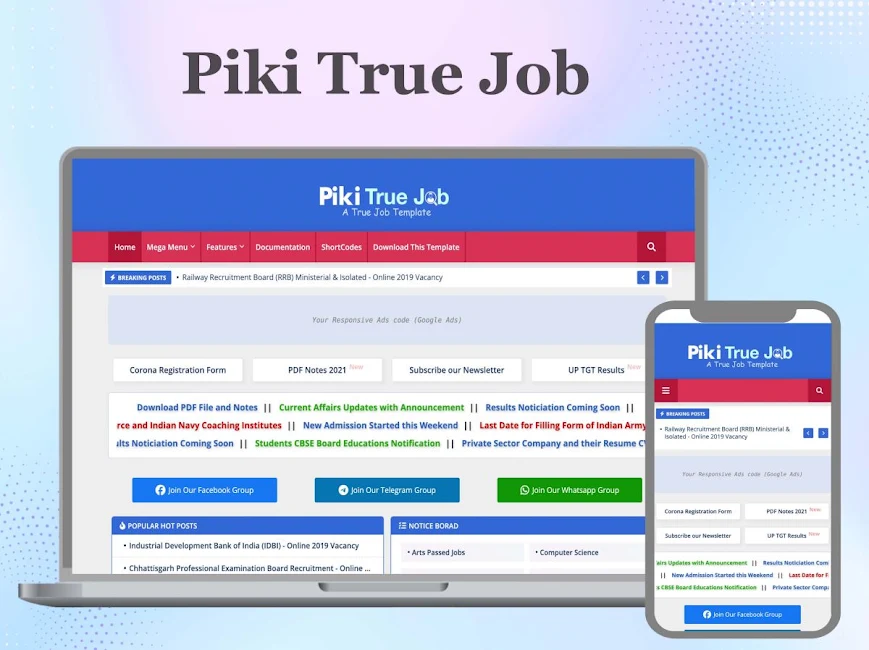
Piki True Job is a template that targets a niche area which very few Blogger templates are able to address — that of job listings and career advice. Because of its well-organized and structured format, Piki True Job makes it easy to present your content in a manner that is preferred by both visitors and Google on this kind of website, whether it’s a job board, a recruitment resource or a career guidance blog. The template allows you to include job-related structured data, which in turn means that your job listings will be eligible for Google’s job search rich results, a ranking factor that is not available with the standard Blogger templates in this niche.
Mag Paper blogger template
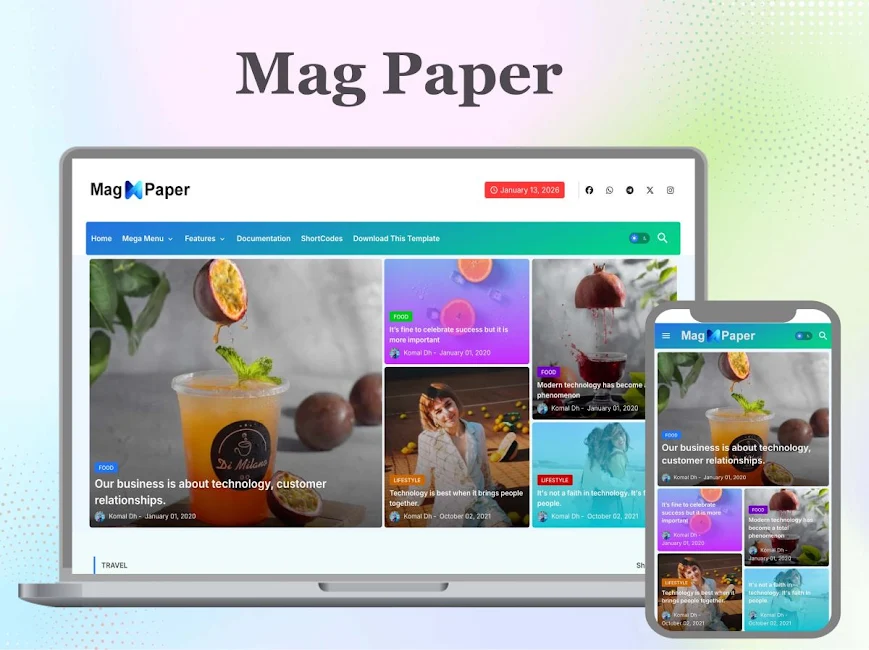
Mag Paper is the kind of template that bloggers who understand the importance of readability as an SEO strategy will choose. The typography is simple, there is a lot of white space, and the content is easy to scan – all of these factors encourage longer periods of time spent on the page, a behaviour that Google takes into account when deciding whether a page is actually delivering what people need when they make a search query. The editorial design of Mag Paper offers exactly this. It puts the content first, includes as few distractions as possible, uses a font that has been carefully chosen to make reading easy, and positions the ad area in a way that maximises revenue without compromising the reading flow that helps keep your engagement metrics high.
Shopping blogger template

Shopping is a website theme that is specialised in the field of affiliate marketing and product reviews, and the reasoning that has gone into its design is very careful, with attention being paid to Google’s requirements for commercial sites in 2026. Comparison content is one of the most effective formats for affiliate SEO, and the product card grid layout doesn’t only give the content a clear and organised visual structure but is also more effective than the standard blog post layout. The well-structured product data in the template also contributes to the type of content hierarchy that Google looks at when deciding to award featured snippets. Whenever your blog earns money through affiliate or product recommendations, Shopping gives you a format for the blog that will both improve its ranking and drive conversions.
Monster blogger template
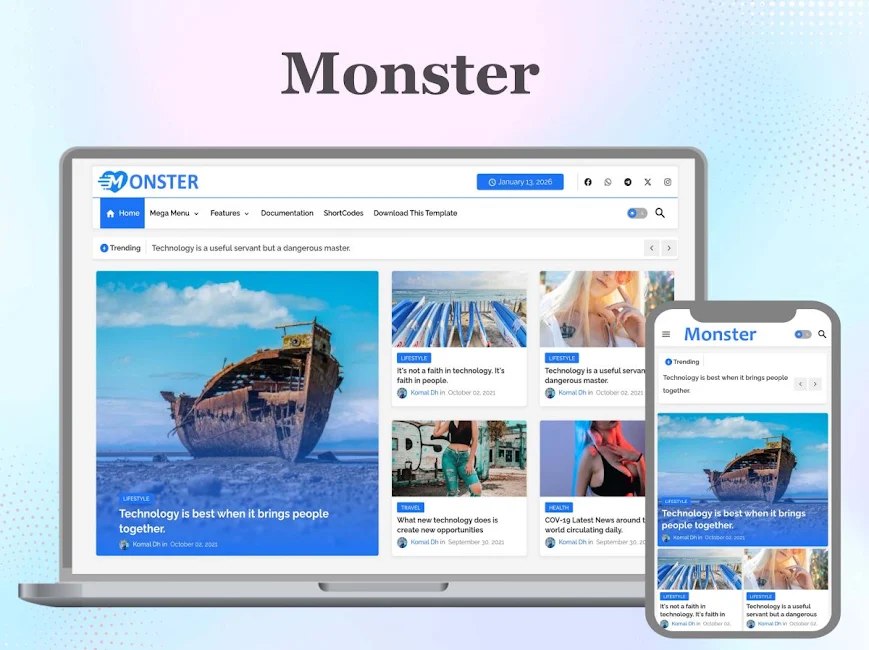
The fact that Monster has this feature is due to its flexibility. I am recommending this template to bloggers who aren’t yet sure about the direction they want to take with their blog or to those who are looking for a single template to use for a variety of different types of content without having to compromise the SEO consistency across all the content types. The multi-section homepage builder enables you to create a content arrangement that Google can easily browse, regardless of the niche you’re in. The performance architecture is strong enough to meet Core Web Vitals in a wide range of content situations. There are plenty of AdSense placement options and you won’t need to make changes to the templates in order to monetize. If you are a blogger in search of a solid SEO foundation that won’t limit your content plans as your site grows, then Monster is the solution for you.
Mag Lite blogger template
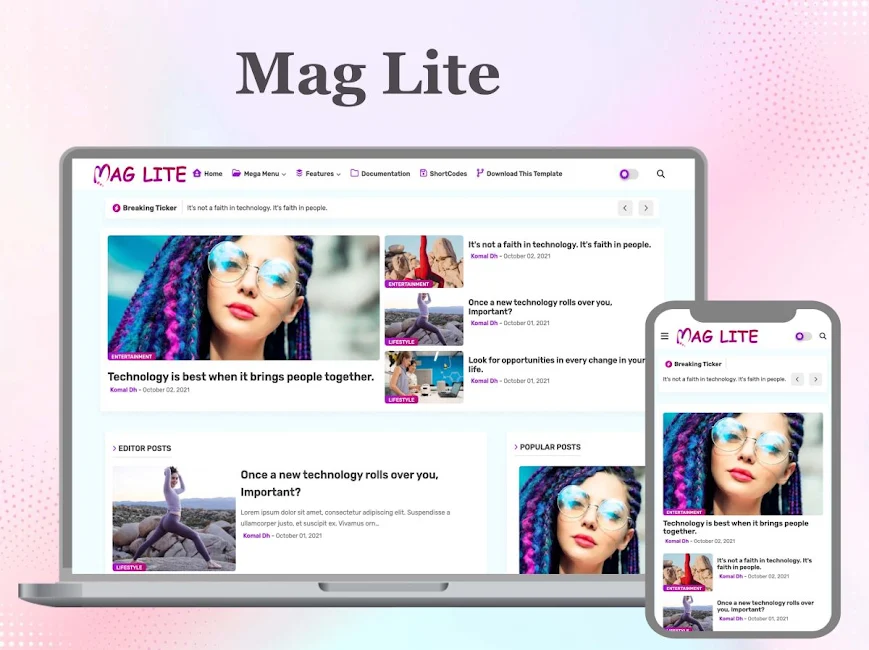
Mag Lite is the answer to a specific and common problem: the blogger who wants a magazine style but has been using magazine templates that give him a Page Speed rating too low to satisfy Google. Rather than relying on a code base full of unnecessary elements, Mag Lite offers the appearance of a multi-section publication with no heavy CSS frameworks, no significant dependence on JavaScript, and no external resources that prevent Google’s crawlers from accessing your content. The result is a magazine template that regularly achieves a PageSpeed score in the high 80s and low 90s on mobile – exactly the kind of performance needed for your content to truly stand out in competitive search results.
Crafter blogger template
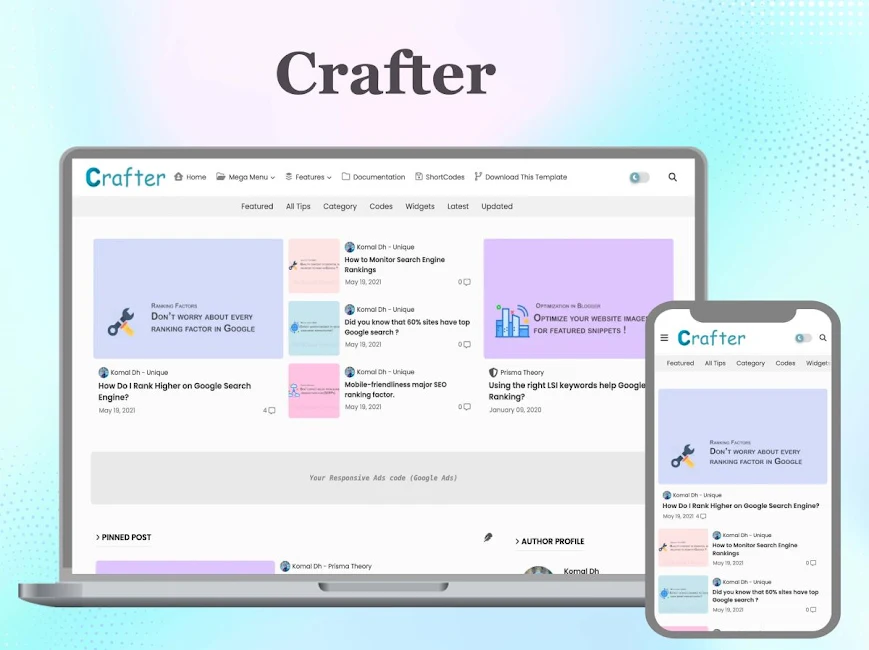
Far from being gentle, Crafter’s SEO engineering is in fact quite robust, since Crafter is a platform designed specifically for the creative sector, including areas like craft tutorials, DIY projects, handmade business blogs, and creative lifestyle content. The system includes lazy loading by default and does not need a plugin in order to load content—this is especially significant given the large amount of step-by-step photography involved in tutorial material, as it ensures that page load speed is not compromised. The friendly visual design creates a first impression that encourages readers from the creative audience to go on and read the content again, and this kind of initial reader behaviour has real influence on Google’s decisions about the quality of user behaviour that affects rankings. Crafter is suitable for people who want to achieve their ranking objectives, and at the same time it is creative.
The only site that consistently offers good template quality together with ongoing support for all of the templates mentioned is that one. Rather than spending time searching through the different sections of the marketplace, you can see the full collection, the live demos, and the performance scores before making a decision—all in a single place. When considering the purchase of any template, you should look at the demo of it using Google PageSpeed Insights. If you achieve a good score with a blank demo site, then you will have the required technical platform in place for your content.
The change was to introduce a new Core Web Vitals metric.
The metric known as Interaction to Next Paint, which has replaced First Input Delay, measures the length of time it takes for a browser to produce a visual response after the user has made their first interaction with a page—for example, by clicking a link, tapping a button, or selecting a menu. Templates that include embedded, heavy-weight JavaScript frameworks to power interactive features can suffer from INP delays that fail to meet the threshold even if the visual experience is fast. On the other hand, templates that are lightweight, well-structured, and have a low dependence on JavaScript tend to have much better INP scores.
Cumulative Layout Shift measures the total amount of movement—mostly that of visual elements—which takes place on the page during the loading process, for example as images enter or leave view, advertisements appear and change the layout of the content, and fonts load and thus affect the arrangement of already visible text. It is almost entirely dependent on template design. If you use a template that positions images in such a way that it doesn’t need to reserve space, makes use of system fonts or loads web fonts correctly, and doesn’t place ads in locations where they disrupt the layout, then you will be able to achieve a low CLS score on every page that your template generates.
I have carried out Core Web Vitals tests using dozens of free and premium Blogger templates, and one consistent pattern that I’ve observed during my work with Blogger is this: well-designed template code leads to good results while poorly designed code does not. The content of the pages has very little effect.
Mobile-First Indexing and the reason why the mobile experience of your template is now your experience!
In 2019 Google changed over to mobile-first indexing, which means that the version of your blog which Google sees and evaluates in order to rank it is the mobile version (not the desktop version that most bloggers spend the greater part of their time viewing their blog).
This change has serious implications for the choice of a template, since the majority of Blogger users have not yet adopted it. Instead of asking yourself “How does it look on my laptop?” when deciding whether a template appears satisfactory and functions correctly, you should ask yourself “How does it perform on a mid-range smartphone with a 4G connection?” Because that is the experience that Google wants and the experience that a large and continuously growing number of your real readers are currently having.
If you want to find mobile-friendly, responsive blogger templates in 2026, it’s not enough merely to collapse into a single column on smaller screens. Rather, it’s about giving priority to the display of content that appears above the fold — that is, making sure that mobile users see something worthwhile as quickly as possible, not having to wait for the entire page. The navigation must be suitable for touching with fingers, meaning that the areas you can tap on should be large enough to be reached with fingers and not with a mouse cursor — in fact, Google has a negative effect on pages which have interactive elements that are too close together or are too small to tap. The text itself should be at least 15px in size to ensure readability without the need for zooming on mobile devices, since this is a usability feature that Google’s spiders check for. Therefore, you can no longer hide important and valuable content in collapsed sections or tabs that the user has to interact with in order to see, because Google’s mobile crawler may not carry out that interaction and so may not index the content.
I was given the opportunity to work with a blogger whose lifestyle website was not ranking for any of the competitive search terms, even though he was aware that the content on his blog was of a high quality and that he was building up a backlink profile. By using Google Search Console’s Mobile Usability report together with the mobile simulation feature in Chrome DevTools, I checked the mobile version of the template and found a number of mobile usability warnings: the clickable elements were too close to one another, the content was wider than the screen (meaning horizontal scrolling was needed), and the text was too small to be read easily without having to zoom in. The site was then changed to use a template that was optimised for mobile use, thus overcoming all these issues, and as a result the website’s average position improved by eleven places within eight weeks in the main group of keywords.
The level of page speed that results in a page being ranked is the one that lies between ‘Ranked’ and ‘Buried’.
Google has always made it clear that page speed is directly connected to search rankings, and it is now even more important since the company is using a large number of different metrics to measure speed, all of which are based on user experience and are measured at various stages of the page loading process in order to assess the performance of the page template.
The truth is that the effect of page speed as a ranking factor is most noticeable when the speed is at the extremes. A site that scores 25 on mobile PageSpeed will be considerably at a disadvantage in terms of its ranking compared to another site in the same field which also has a score of 75, even if the content is the same but the mobile PageSpeed score is different. There isn’t a large difference in ranking between a site scoring 80 and one scoring 90 in the same niche. This implies that if your Blogger template is performing badly in terms of page speed, you could achieve major improvements in your ranking by switching to a faster template. On the other hand, if your current template already gives you excellent scores, minor changes will only result in small improvements in your ranking.
The main factors which affect the PageSpeed of a fast-loading Blogger template are the number of external resources that the template has to load (such as fonts, icon libraries, JavaScript files and CSS frameworks), whether the template can be optimised so as to load fewer resources, whether it can be optimised to use modern image formats like WebP for the template’s graphics, and whether it can be optimised to delay the loading of JavaScript until after the main content has been loaded.
A well-engineered SEO-friendly Blogger template has carefully considered each of these features. It uses just one font and/or a maximum of two fonts and limits the fonts to only those characters that are required, rather than loading complete character sets. The CSS is reduced so that it does not include style definitions for components which are not present on the page. The template is also capable of implementing lazy loading right from the start and does not require any extra plugin. Moreover, it does not load any JavaScript that is not needed before the above-the-fold content is rendered.
When you compare the waterfall loading charts of high-quality SEO blogs (blogger) with those of average free blogger templates, you find a clear difference not only in the number of requests and the total page weight but also in the order of loading, since high-quality AdSense-friendly blogger template blogs load the content that the user needs to see first before loading the rest, whereas average free blogs load all the content in the order specified in the template code.
By using Schema Markup and Structured Data, you can give your template rich results.
Rich results—which are the improved search listings that display star ratings, article dates, breadcrumbs, FAQ sections or how-to steps directly on the Google search results page—are one of the finest examples of organic search real estate. Since they provide more information and differ from the large number of standard blue-link listings, they enable a significant increase in click-through rates.
In order for the rich results to be displayed, your pages need to include structured data which is in a format that Google can read and verify. This type of markup will mostly be determined by your template rather than by your content. Google is unable to understand your prose in order to work out the structured data; it must be explicitly included in the page structure using JSON-LD, which is the method that Google prefers for coding structured data on a web page.
Each page produced using an SEO-friendly Blogger template has structured data markup automatically generated. On the pages displaying posts, it produces Article schema which tells Google that the page is a blog article and also includes the name of the post author, the date of publication and the date of last modification, while linking the post to the blog as the parent entity. On the homepage it generates WebSite schema which gives the name of the blog, the URL of the blog and the search function of the blog. Collection markup is created on the category and labels pages as well. Because this auto-generated schema is produced, a blogger who is using a properly constructed SEO template will have rich result eligibility throughout the site without having to add a single line of structured data code.
I have been looking at the performance of posts which use structured data templates and of those which do not, using the performance report in Google Search Console. For the same position in the Google search results, posts on schema-enabled templates have a higher click-through rate – in many cases this is more than 30% higher when the posts are in the same ranking position. The increase in click-through rate is not merely imaginary and cannot be explained simply by the fact that rich results take up more space on the search results page – it is due to the fact that more information about the content is provided without having to click.
In this article I am going to tell you about the Open Graph and social signal connection that most bloggers are overlooking.
A Blogger template that is friendly to SEO takes into account not only Google’s crawlers but also the social sharing environment, since this can affect the hints and signals that Google uses to justify its organic rankings. The template generates Open Graph tags which determine how your blog posts will appear when shared on Facebook, LinkedIn, Pinterest and other social media sites: these can take the form of an interactive card containing a title, a description and an image, or simply a plain link with no attractive appearance.
It is an indirect but clear SEO consequence that when the content is posted on social media in the form of a well-designed, attractive card, it receives far more clicks than when it is posted as a plain URL. The greater the number of clicks you get from social media shares, the more traffic your site will receive, the more time people will spend on your site, the more people will link to your site from theirs, and the more user engagement signals you will send to Google’s ranking algorithm.
If your template isn’t providing the right Open Graph tags, you’ll be missing out on all the various benefits that result from this. When each of your posts is shared on social media without the correct Open Graph tags, the shared link will not look as good as it might — thereby preventing you from making full use of your content on social media.
The X-Twitter Card meta tags serve a function similar to that of Twitter/X sharing, and their implementation at the template level is also similar. A Best Premium blogger template will generate Open Graph and Twitter Card tags for each individual post without the blogger having to take any action; it will simply use the post’s featured image, title and meta description to produce the social card.
Internal Linking Architecture – How Your Template Affects Google’s navigation of your blog.
The way that Google’s crawlers move from page to page on your Blogger blog—specifically, which pages they discover, how frequently they visit them, and the way in which they assess the relative strength and importance of different types of content on your site—depends on the design of your template. This architectural model is undoubtedly a major yet not very well understood element when it comes to choosing a template and the resulting ranking outcomes.
A well-designed template which includes a related posts feature—where the related posts are not linked using general names but instead use anchor text that is relevant to the content—establishes internal linking (connection) routes that enable Google to understand the relationship between the topics you have discussed in your articles. A topical cluster can be formed if an article on the best practices for email marketing links to your articles concerning how to write the perfect email subject line, how to segment your email lists, and email campaign analysis. Google can follow these links and count the number of articles you have written on that topic, thereby assessing the extent of your coverage of it.
The navigation menus, the labels for the categories and the arrangement of the archives are also determined by your template and therefore contribute to the formation of the crawl structure. When your template includes a well-organized navigation structure that shows Google the most important category pages from the homepage, it gives Google efficient routes to all of your content. However, the template’s structure may be hidden and/or rely on JavaScript, which can prevent crawlers from accessing content that is more than one or two clicks away from the homepage.
The breadcrumb navigation offered by a good SEO Blogger template on post pages serves two purposes: improving user experience and aiding SEO. For the users it shows them the post’s position within the blog’s structure, while for Google it acts as an explicit hierarchical signal (showing the post within the category within the blog), helping the search engine to better understand how the content is organised and enabling breadcrumb rich results to be displayed in search listings.
Canonical Tags + Duplicate Content — How Your Template is Keeping Your Rankings Safe.
The way that Blogger’s URL structure handles content duplication involves the use of a canonical tag within the SEO-friendly template. On a Blogger blog, the same post content can be found at a number of different URLs: the normal post URL, the version of the post obtained by using a label filter, the mobile version of the post (in the case of older setups), and at times also the archive version of the post. If such tags are not included, Google might discover and index several different versions of the same content and divide the page ranking signals among those various URLs rather than concentrating them on a single URL (the “canonical” one).
A Blogger template that is suitable for SEO will generate a canonical tag on every page to tell Google which URL those pages correspond to. This is a simple yet important feature of the template structure, ensuring that no matter how the content is located by a web crawler, it will know which URL should receive the ranking credit and which ones are duplicates and therefore secondary.
I have witnessed Blogger templates producing blogs which had no canonical tags and were indexed using a number of different URLs for the same content—in one case there were four different URLs for a single blog post—with only a small amount of the backlink equity being passed on to the main URL. When canonical tags were properly generated in the template, content consolidation led to an average improvement of six positions in the average ranking position of the blog posts affected by the changes three months after the implementation of the change.
How to tell if a Blogger template is really SEO friendly before deciding on it
It is in fact a valuable skill to be able to check template providers’ SEO claims before selecting a template. Luckily, the tools required for such verification are free and do not require any knowledge of development.
When assessing any template, the first step should be to use Google PageSpeed Insights. Most well-designed Blogger templates include a live demo website, and by entering the demo’s URL into the PageSpeed Insights page, you can obtain a live performance score together with a breakdown of the various issues. A mobile rating for the template in the range of 85 to 95 (based on a template demo – an empty site containing no substantial content) is a good score, indicating that the template code is clean and well optimised.
You can test your template by using Google’s Rich Results Test tool in Google Search Console and entering a demo URL to carry out the test. However, no schema data is included in the test, which means that the template is not producing any schema data and therefore will not result in rich results regardless of the quality of the content.
The Mobile-Friendly Test from Google will tell you whether the mobile version of the template has passed Google’s mobile usability test. The test takes less than a minute to complete and will give a “Pass” or “Fail” result together with detailed information about any issues found.
To sum up, if you examine the source code of a demonstration page of the template and search for the terms “H1”, “canonical”, and “og:title”, you will be able to tell at once whether the template is correctly producing the most important SEO components. Even if the template states that it is SEO friendly on its marketing page and/or in the page source, it is not actually SEO friendly if its page source lacks both an og:title meta tag and a canonical link element.
The Long-Term Compounding Effect of using the correct template
The main reason for selecting an SEO-friendly Blogger template at the beginning of your blogging career rather than using one of the random templates you have access to and which are either free or familiar to you is that Google’s trust signals accumulate, and it’s too late to improve the technical quality of a site that was originally designed without it.
The technical quality signal that your blog provides with each page that it publishes helps Google when it comes to assessing the overall quality of the blog. These technical signals accumulate over a period of 12 months, so if a blog has been producing clean, fast and well-structured pages for the past 12 months, then it will have 12 months’ worth of positive technical signals. However, if a blog has been running for a year using a poor template and then switches to a good one, it cannot correct the technical quality it had been giving off during the previous year.
What this means is that the cost of selecting the wrong template cannot be limited to the present ranking performance. It includes the opportunity cost of the ranking momentum you could have built up each month having used a better template instead while you were using the inferior one. Even if the price of the templates is the same, it is much more valuable to have started with the correct template right from the beginning than to have used the correct template twelve months later.
The result is that by selecting an SEO-friendly Blogger template before you publish your first post, you’ll have done one of the best things possible as a new blogger; the improvements in search engine ranking that I’ve observed when people switch templates (in cases where the sites already had several months of content and had built up some domain authority) have been much more significant than the gains achieved after months of adding new content using the previous templates. This approach ensures that the advantages are strongly reinforced with each piece of content you publish from the very first day.
My Final Thoughts — Your Template is the Foundation Everything else is Built On.
For every hour you spend on creating content, building backlinks, studying keywords, and carrying out on-page optimization, etc., your Blogger template is either making that investment pay off or wasting it. A single template can make use of all those investments in content by providing it with the most suitable technical foundation possible—that is, a real mobile experience, correct schema markup, appropriate canonical tags, fast loading times, and a clear structure. On the other hand, a template that has duplicate heading tags, slow loading times, is missing structured data, and has mobile usability problems is also undermining those investments and causes your content to be playing catch-up with your competitors rather than keeping up with them.
I’ve witnessed bloggers who had been using poor templates for months or even years publishing excellent blog articles and then asking me why their blog wasn’t ranking for that quality content. In the same situations, when those bloggers switched to SEO-friendly templates they soon saw an improvement in their rankings, without any improvement in the actual content, since all the content was being assessed on a level technical footing.
The Blogger template isn’t just decoration; it’s the foundation upon which everything else you build depends, so you should choose it as you would any other important business decision, since with each page you publish its influence will grow — for the entire length of your blog.
The information presented in this article is based on firsthand experience managing and auditing Blogger blogs across various niches from 2016 to 2026, including template changes, Core Web Vitals measurements, structured data auditing, and ranking performance tracking via Google Search Console. The statistics and rankings used are from actual blogs and are real data.